
HomeMagic: AI Interior Design
AMOBEAR TECHNOLOGY GROUPArt & Design
2.927.00 Reviews
- Version
- 1.5.7.20260714
- Installs
- 1.00M
- Age Rating
- Everyone
Screenshots

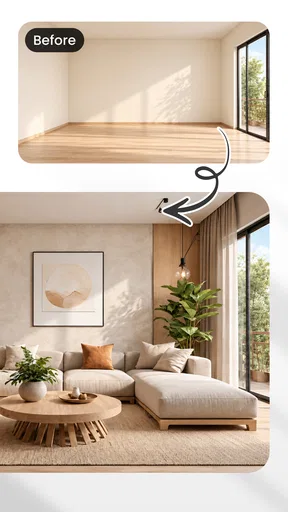
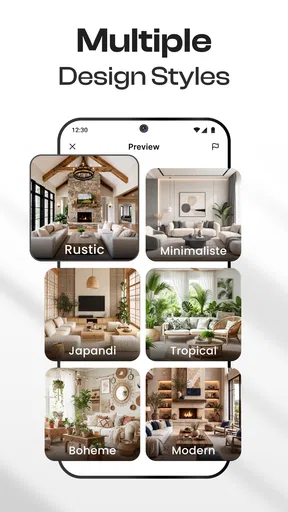
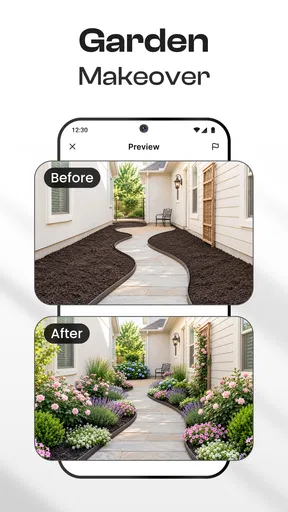
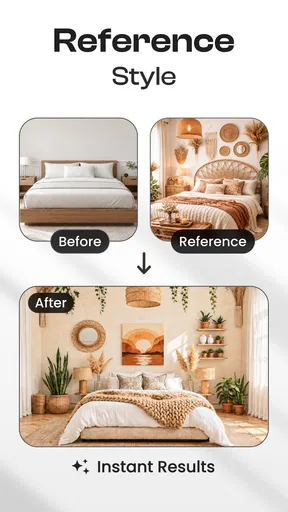
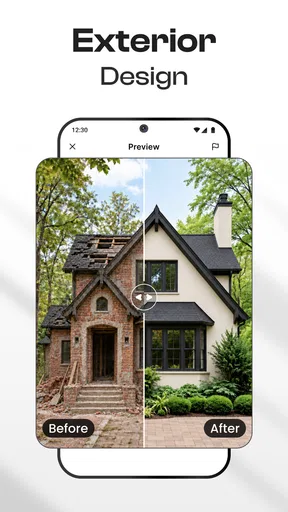
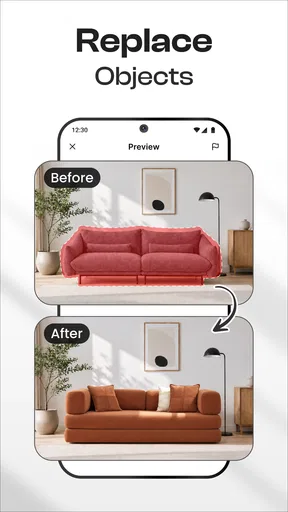
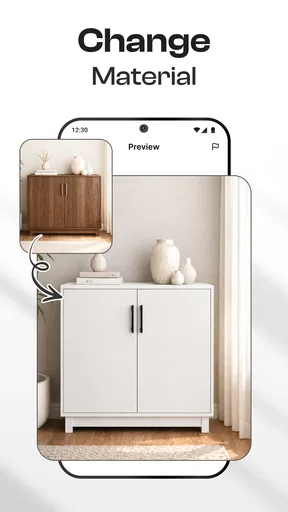
Our Review of HomeMagic: AI Interior Design
 Analysis by Appyee
HomeMagic: AI Interior Design is the kind of app I would open when I have a room that feels unfinished but no clear idea how to improve it. It sits in the Art & Design category and focuses on turning interior decoration into a more visual, approachable exercise. Rather than beginning with a blank drawing canvas or a complicated floor-planning tool, I found its appeal in getting inspiration quickly and using that inspiration to think through a real space.
The app is free to install, which makes it easy to try before deciding whether it belongs in your regular design toolkit. Its age rating is Everyone, so the presentation is suitable for a broad audience. AMOBEAR TECHNOLOGY GROUP is the developer behind it, and the app has already passed the million-install mark. That reach is encouraging, although the average rating of 2.9 from roughly 671 ratings tells me that expectations should stay realistic.
What HomeMagic feels like when you first open it
The first thing to understand is that this is best approached as an idea generator, not as a professional replacement for an architect, interior designer, or detailed room-planning program. I would use it to explore directions: warmer colors, a different furniture mood, a cleaner layout, or a more coordinated decorative style. The useful result is not necessarily a construction-ready plan. It is a clearer sense of what I like and what I want to try next.
That distinction matters because AI design apps can look impressive while still leaving practical questions unanswered. A generated room may suggest a beautiful atmosphere, but it does not automatically settle whether a sofa will fit through your doorway, whether a wall can support a cabinet, or whether the lighting in your actual room matches the image. I treated the visual output as a conversation starter with myself, not as a final specification.
For a first-time user, the most reassuring way to begin is to choose one modest goal. Do not try to redesign the entire home in one session. Pick a bedroom that feels dull, a living room with mismatched furniture, or a small corner that needs a purpose. A narrow question gives the app something useful to help with and makes it easier to judge the result.
I also recommend taking a moment to decide what kind of help you want. If you need color inspiration, focus on the atmosphere and palette. If you are considering furniture changes, pay attention to placement and visual balance. If you simply want a style direction, compare several ideas rather than becoming attached to the first attractive image.
The current version is 1.5.7.20260714, so the interface may evolve over time. That is worth remembering when following instructions from older screenshots or reviews. A button may move, a workflow may be adjusted, or the way an idea is presented may change after an update.
Starting with a real room works better than starting with a fantasy
My strongest advice is to use a room you actually know. Think about what is wrong with it before opening the app: perhaps it feels cramped, lacks storage, looks too dark, or has furniture that does not belong together. This small preparation step makes the generated suggestions easier to evaluate because you have a practical problem to solve.
A vague aim such as “make it beautiful” can produce an attractive but unhelpful direction. A more useful aim is “make this living room feel calmer without replacing the main seating” or “find a softer look for this bedroom while keeping the existing floor.” Even when the app cannot account for every constraint, your own criteria stop the process from becoming a simple stream of pretty pictures.
There is also a useful trade-off between inspiration and accuracy. The more open-ended the request, the more imaginative the result may feel, but the less likely it is to match your room. The more specific your starting point, the easier it becomes to make a decision, although the result may feel less surprising. I prefer beginning with practical limits and relaxing them only if the first ideas are too ordinary.
Setting up a first project without getting lost
When I approach a new design app, I want the first session to lead somewhere quickly. With HomeMagic, I would keep the setup simple: choose the room or design task in front of you, prepare a clear reference if the workflow asks for one, and avoid trying to describe every object in the room at once. A clean starting point makes the visual comparison much easier later.
If you use a room image, take it in ordinary daylight and from a position that shows the main area. A cluttered photograph can make it difficult to judge which changes come from the design idea and which come from the original image. Move small objects out of the way if you can, but do not stage the room so heavily that it stops representing the space you actually need to improve.
This is one of the less obvious ways to get more value from an AI interior tool: create a repeatable reference. If you later try another direction, use a similar view rather than a completely different photograph. Otherwise, you may end up comparing camera angles and lighting instead of comparing design choices.
I would also make a short written checklist before generating ideas. Three points are enough: what must stay, what can change, and what feeling you want. For example, an existing dining table might need to remain, the wall color could change, and the target mood might be brighter and less formal. This turns the app from a random inspiration machine into a visual test for a real decision.
New users should pay attention to the difference between exploring the app and committing to a purchase. The app is free, but it includes in-app purchases ranging from $3.99 to $499.99 per item. That is a very wide range, so I would not approve a purchase simply because a design looks appealing. First decide whether the idea is genuinely useful, then check the exact purchase prompt and what it unlocks before continuing.
This pricing structure is also why I would recommend spending time with the free experience before treating the app as a serious part of a renovation plan. If you only need a few ideas for a weekend refresh, a paid option may not be worthwhile. If you are repeatedly planning rooms and the workflow saves you time, the calculation may be different, but that decision should come after you understand how often you will use it.
The first meaningful success is a decision, not a perfect picture
For me, a successful first action would be producing one design direction that answers a specific question. Suppose I am unsure whether a small bedroom should feel cozy or airy. I would use the app to explore one direction, then compare the result with the actual room and note what works: perhaps the lighter palette helps, while the suggested furniture arrangement would block a walkway.
This is a better measure of success than asking whether the generated image looks like a magazine spread. A useful design idea should help you choose something. It might tell you that you prefer warm wood over glossy surfaces, that a wall needs less decoration, or that the room’s problem is visual clutter rather than color.
One practical workflow is to save or note the strongest elements from a result instead of trying to copy the whole scene. You might keep the color relationship between walls and textiles, the idea of using one larger artwork instead of several small pieces, or the suggestion to group furniture around a clearer focal point. Then apply those elements to your real room one at a time.
This selective approach avoids one of the common traps of AI-generated interiors: the image can contain details that look coherent together but are unrealistic for your budget, space, or habits. I would never treat every chair, lamp, plant, and finish as an instruction. I would extract the underlying principle and check it against the room.
A second useful technique is to compare opposites. Instead of generating several nearly identical versions, try a clearly warmer option and a clearly cleaner, cooler option. The contrast helps reveal your preference faster. After that, use the preferred direction as the base for a more restrained version that is easier to live with.
What can confuse a first-time user
The main source of confusion is likely to be the gap between visual design and physical planning. An attractive arrangement on a screen can hide everyday problems such as circulation, storage access, cleaning, glare, or the need to open doors and drawers. I would check every suggestion against the way people move through the room at different times of day.
Another point is that AI imagery can make materials appear more convincing than they will be in person. A surface may look soft, bright, or luxurious in the image, but the actual result will depend on the product, lighting, texture, and maintenance. Use the app to decide what kind of finish you want, then inspect real samples or products before spending money.
Users may also wonder whether they need design knowledge before starting. In my view, no. The app is more approachable when you can describe a feeling or a problem in everyday language. Still, basic observation helps. Knowing where the natural light enters, which furniture cannot move, and where storage is needed will make your judgments much sharper.
If a result feels wrong, I would not immediately assume the app has failed. First ask whether the starting image was clear, whether the room was described too broadly, or whether the desired constraints were impossible to represent in one visual concept. Try changing one factor at a time. A cleaner reference image, a more focused goal, or a different style direction can reveal whether the issue is the input or the idea itself.
The rating of 2.9 is a reminder that the experience will not be equally satisfying for everyone. Some users may expect precise, dependable room measurements or a polished professional workflow and feel disappointed. That is a fair concern. I see HomeMagic as more suitable for visual exploration than for exact renovation documentation.
Where it fits beside familiar alternatives
Compared with a traditional mood board made from saved photos, HomeMagic can make the idea feel more personal because the focus is on a room you are considering. A conventional mood board is often better for collecting real products, fabric references, and examples that you can actually buy. I would use HomeMagic to discover a direction, then build a practical board from real items.
Compared with a manual floor-planning app, it is likely to be more comfortable for someone who wants visual inspiration rather than precise dimensions. Manual planners are usually the better choice when the position of every wall, door, and piece of furniture matters. If you are checking whether a new layout physically works, accuracy should take priority over atmosphere.
Compared with browsing social media or interior websites, this app offers a more direct way to think about your own space. The disadvantage is that general browsing often exposes you to real rooms, products, and lived-in compromises, while an AI concept can be smoother and less realistic. I would combine both: use HomeMagic for possibilities and real-world sources for verification.
It is also not the right first choice for someone who already has a detailed plan and needs technical drawings, contractor-ready information, or dependable measurements. In that situation, a specialized planning tool or a professional consultation would be more appropriate. HomeMagic’s value is earlier in the process, when you are still deciding what direction feels right.
Everyday situations where I would actually use it
Imagine moving into a rental apartment with plain walls and furniture that came from different homes. You do not want to make permanent changes, but the living room feels disconnected. I would use the app to explore a unified palette and identify small changes, such as coordinating textiles or reducing competing decorative elements. Then I would confirm that each change is removable and affordable before buying anything.
Another realistic situation is preparing a child’s room as needs change. An AI concept can help you imagine a calmer arrangement or a more flexible visual style, but I would treat safety, storage access, and durable materials as separate checks. The image may suggest a mood; it should not replace careful decisions about the people using the room.
For a home office, I would use the app to test atmosphere rather than trust it with ergonomics. A warmer background may make the room feel more inviting, but desk height, screen position, cable management, and daylight glare require direct attention. This is a good example of where the app can contribute one part of the decision without being the entire solution.
I can also see value before meeting an interior designer. Creating a few visual directions could help you explain what you like and what you dislike. The benefit is not pretending that the app has done the designer’s job; it is arriving at the conversation with clearer preferences and better questions.
My advice for getting more from the next session
After the first successful result, I would not immediately redesign another room. Instead, take the strongest idea and test it against a short list of real constraints: what you already own, what you can move, what you can afford, and what you are willing to maintain. This step turns inspiration into a plan and exposes suggestions that only work visually.
Try changing one design variable per round. If you alter the palette, furniture style, lighting mood, and decorative density simultaneously, you will not know which change improved the result. Keeping the experiments focused is especially helpful when you are deciding between subtle options that initially seem similar.
I would also keep a simple record of rejected ideas. That may sound unnecessary, but it prevents you from circling back to the same unsuitable style and helps clarify your taste. Note why an idea failed: too dark, too busy, difficult to clean, incompatible with existing furniture, or simply not comfortable. The app becomes more useful when your own judgment remains active.
Before making a purchase inspired by a design, check scale with a tape measure and mark the footprint on the floor if possible. This is a small but important habit because visual proportions can be deceptive. A layout that appears spacious in an image may leave very little room around a real table or sofa.
Finally, remember that the app’s free entry point is its strongest reason to experiment, while the in-app purchase range is the main reason to proceed carefully. I would use the free access to learn whether the design process suits me, then evaluate any paid option in relation to a specific need rather than paying for vague inspiration.
Who should try it and who should skip it
I would recommend HomeMagic to renters, first-time decorators, students, and homeowners who feel stuck at the idea stage. It can be especially helpful if you know that a room feels wrong but cannot yet express whether the problem is color, layout, mood, or visual clutter. The app gives that uncertainty something concrete to react to.
I would be more cautious recommending it to users who need exact dimensions, technical documentation, reliable product specifications, or a complete renovation plan. It is also a poor fit if you dislike experimenting with visual concepts or expect every generated suggestion to be immediately practical. In those cases, a measurement-focused planner, a real product catalog, or professional advice will serve you better.
After using it as an idea tool, my view is balanced. HomeMagic is most useful when it helps you make a design decision, not when you ask it to make every decision for you. The app’s free availability and accessible Art & Design focus make it easy to explore, while the modest average rating and broad in-app purchase range suggest that users should test the experience carefully.
If you approach it with one real room, one clear question, and a willingness to verify the practical details yourself, it can be a pleasant way to move past a decorating blank page. I would install it for inspiration, compare its ideas with real spaces and products, and keep the final choices grounded in measurements, budget, comfort, and daily life.
Verdict
Strengths of HomeMagic: AI Interior Design
- Generates multiple room concepts from a single photo
- Useful for exploring furniture layouts before redecorating
- Offers quick inspiration across several interior design styles
- Simple interface makes it accessible to non-designers
- Can help visualize changes without hiring a designer
Limitations of HomeMagic: AI Interior Design
- AI results may ignore room measurements or existing furniture
- Some realistic designs may require expensive products to recreate
- Free usage may be limited by credits, ads, or locked features
- Small details such as windows and lighting can be misinterpreted
- Results can look repetitive after extended use
Other Releases by AMOBEAR TECHNOLOGY GROUP
View All
Future Self™: AI Face Aging
Art & Design4.1

Genera: AI Video Generator
Art & Design4.1

Weather Today: Live Radar
Weather4.4
Similar Picks in This Category
View All
Canva: AI Photo & Video Editor
Canva4.8

PENUP – Drawing-sharing SNS
Samsung Electronics Co., Ltd.4.5

Crafto
Kutumb App4.6

Sketchbook
Sketchbook4.1

ibis Paint X
ibis inc.4.5

Adobe Express: AI Photo, Video
Adobe4.6
Frequently Asked Questions
What is HomeMagic: AI Interior Design, and how does it work?
HomeMagic: AI Interior Design is an interior-design app that uses artificial intelligence to create room concepts from photos or user-provided details. After selecting a space, style, and sometimes preferred colors or furniture direction, the app generates redesigned visuals for inspiration. Results can vary depending on image quality, room layout, lighting, and the information supplied.
Can HomeMagic redesign any room or home style?
The app is generally intended for common residential spaces such as bedrooms, living rooms, kitchens, offices, and dining areas. It may offer several design themes, including modern, minimalist, Scandinavian, traditional, luxury, or industrial looks, depending on the current version. However, generated concepts are suggestions rather than exact architectural plans, so unusual layouts and highly specific requirements may not be represented accurately.
Is HomeMagic: AI Interior Design free to use?
HomeMagic may allow users to try selected design generations or features at no cost, while placing additional styles, higher-quality results, faster processing, or unlimited use behind in-app purchases or a subscription. Pricing and available plans can change by platform and region. Before confirming payment, review the purchase screen carefully, including renewal terms and whether a trial automatically becomes a paid subscription.
Does HomeMagic provide realistic furniture and renovation recommendations?
HomeMagic can produce attractive visual ideas that help users explore colors, layouts, furniture arrangements, and decorative styles. Nevertheless, the images should not be treated as precise shopping lists, renovation instructions, or professional measurements. Furniture dimensions, product availability, construction limitations, electrical requirements, and structural issues may not be considered, so verify every important decision with measurements and qualified professionals.
Is my room photo safe when I upload it to HomeMagic?
Before uploading photographs, check HomeMagic’s privacy policy and the permissions requested by the app. AI design services commonly need images to process and generate results, and some may store uploads temporarily or use service providers for processing. Avoid including people, personal documents, addresses, or other sensitive details in room photos, and review account deletion and data-retention options if privacy is a concern.
